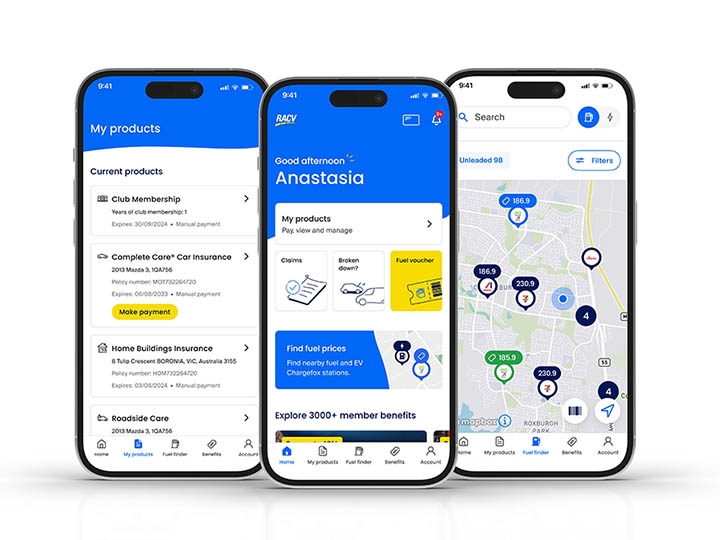
Your products, services and benefits on hand

Manage all your RACV products and policies easily in one place
View, renew and manage your products
Check what you’re covered for
Lodge and track your claims
Update personal details
Frequently asked questions
You can log into the app using the same email and password you use to log into your RACV online account.
If you’ve forgotten your username or password, simply go to the login page and click ‘forgot password’ to reset it.
If you don’t have an existing account, you can easily create an account online. We'll then send you a link to verify your email address and set a password.
Once that's done, you can set up a passcode or use biometrics (face or fingerprint recognition) to log into your app faster and easier going forward.
Did this answer your question?
Thank you for your feedback
Thank you for your feedback
The RACV App is for RACV Members, so they can access member benefits, compare fuel prices, call emergency roadside assistance, make a claim, update details, manage products and services, and make payments.
Did this answer your question?
Thank you for your feedback
Thank you for your feedback
You can use our app on Apple iPhones iOS 16 and above and Android OS 12 and above.
Did this answer your question?
Thank you for your feedback
Thank you for your feedback
No worries, you can reset your password by clicking the 'Forgot your password' link on the login page. Or visit our reset password page.
What happens next?
Enter the email address you use to log in to your account. We'll send you a link to reset your password.
If you haven't received an email from us, please check your spam folder.
We may ask you to try a different email address, if there is no RACV account linked to the email you entered.
If you still need help, call us on 1300 668 015 between 7am to 11pm.
Haven't set up your account yet? You can create an account here.
Did this answer your question?
Thank you for your feedback
Thank you for your feedback
We're serious about keeping your data protected. As your online account and the RACV App contains some of your personal information, we ask you to log in securely with your email and password.
The first time you log into the app, you'll need to set up a 6-digit passcode, with the option of biometrics (face or fingerprint ID) too, so it's easy to log in securely every time.
This will 'lock' your app, so it can only be accessed using your 6-digit passcode or your face or fingerprint recognition. Because of these security measures, you don't need to 'log out' of the app when you've finished using it. There is, however, still an option to 'log out' before exiting the app. If you select this option, you'll need your email and password the next time you log in.
Did this answer your question?
Thank you for your feedback
Thank you for your feedback
Now that you can access your digital membership card via the app, you don’t need to rely on your physical card to access member benefits. You may still like to keep your physical card as a backup.
If you’re an RACV Club Member, you’ll still need your physical club member card to access the Clubs.